QuickShortcutMaker is a powerful tool that allows users to create custom shortcuts on their smartphone’s home screen with ease. This app helps in quickly accessing hidden apps or settings, making the user experience more efficient and streamlined.
How Does QuickShortcutMaker Work?
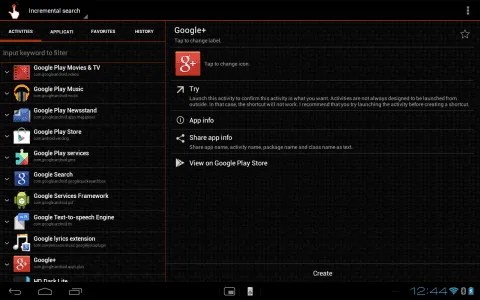
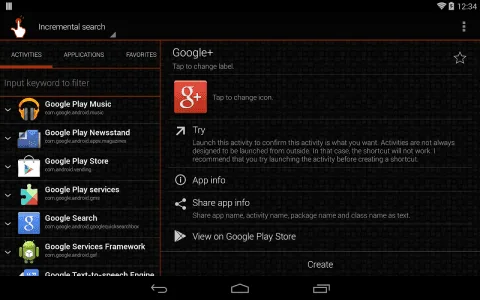
The app works by creating shortcuts for applications or internal system functions. Once installed, users can search for any app or specific setting and create a shortcut on the home screen, allowing instant access with just a single tap.
Features of QuickShortcutMaker
Easy Shortcut Creation
The app makes it simple to create shortcuts for any app or setting on your device, saving time and effort.
Discover Hidden Settings
Users can explore and access settings that may not be easily found in the default settings menu.
Customize Icons and Names
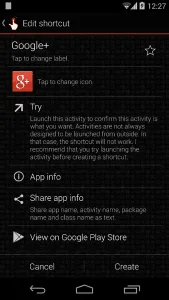
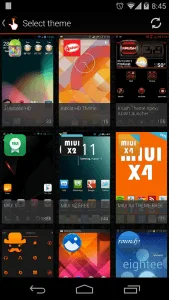
QuickShortcutMaker allows users to modify shortcut icons and names, helping to organize the home screen according to their preferences.
Supports Various Android Versions
The app is compatible with a wide range of Android versions, making it accessible for most devices.
Quick App Searching
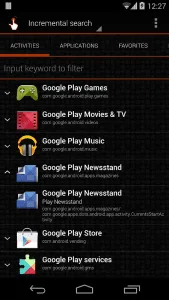
The built-in search function enables users to find apps or settings quickly, making shortcut creation even more convenient.
How to Use QuickShortcutMaker?
- Download and install the app on your device.
- Open the app and search for the application or setting you want to create a shortcut for.
- Select the desired item and choose “Create Shortcut.”
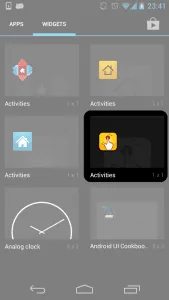
- The shortcut will be added to your home screen for quick access.
Is QuickShortcutMaker Safe to Use?
Yes, QuickShortcutMaker is completely safe when downloaded from a trusted source like Google Play Store or the official developer’s website. It does not require unnecessary permissions, making it a reliable choice for users.
Common Uses of QuickShortcutMaker
Faster Access to Essential Apps
Instead of searching through a long list of apps, users can create direct shortcuts for frequently used applications.
Personalizing the Phone and Boosting Productivity
Users can create shortcuts for important settings like enabling airplane mode or adjusting network settings for quicker access.
Accessing Hidden Apps
Some devices may have apps or settings that are not visible in the main menus, and QuickShortcutMaker helps users find and open them with ease.
QuickShortcutMaker is an excellent tool for users who want to customize their device and quickly access apps and settings with ease.